Hydrum
Sign in

Your Harreither Universum, on any screen.

See every room, switch the mode, adjust setpoints and timers — from your phone, or from an iPad on the wall. Hydrum connects through the Harreither cloud, so there is nothing to install at home.
Create accountFree while in preview.
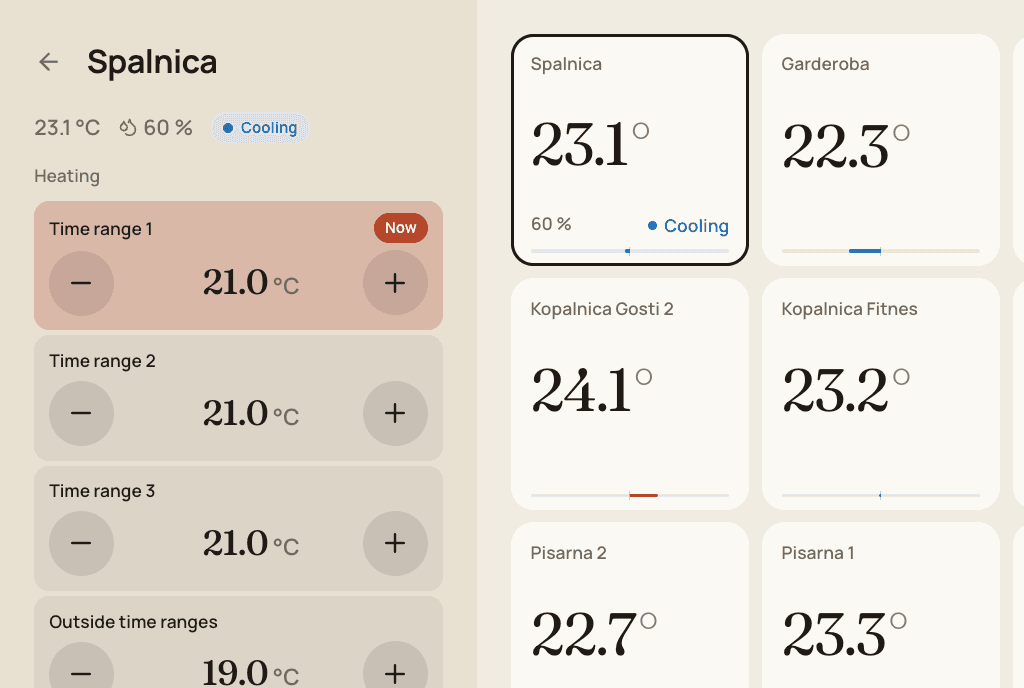
Hydrum wall view in the Rail layout, Paper theme, with the setpoints of one room open
The Rail layout with a room open: heating and cooling setpoints per time range, changed with two big buttons.

A wall display in minutes

Create a display link, scan it with an iPad, add it to the home screen. Choose whether it may only show or also control.

Rooms, timers and modes

Temperatures and humidity per room, heating and cooling setpoints, weekly schedules, switching clocks and the operating mode.

Your credentials stay yours

Controller logins are encrypted at rest and only used to talk to your system. Display links can be paused or replaced at any time.

Three layouts, seven themes

Pick per screen: a rail with tiles, a poster-style index, or one even mosaic. Light and dark themes, and an optional background photo.
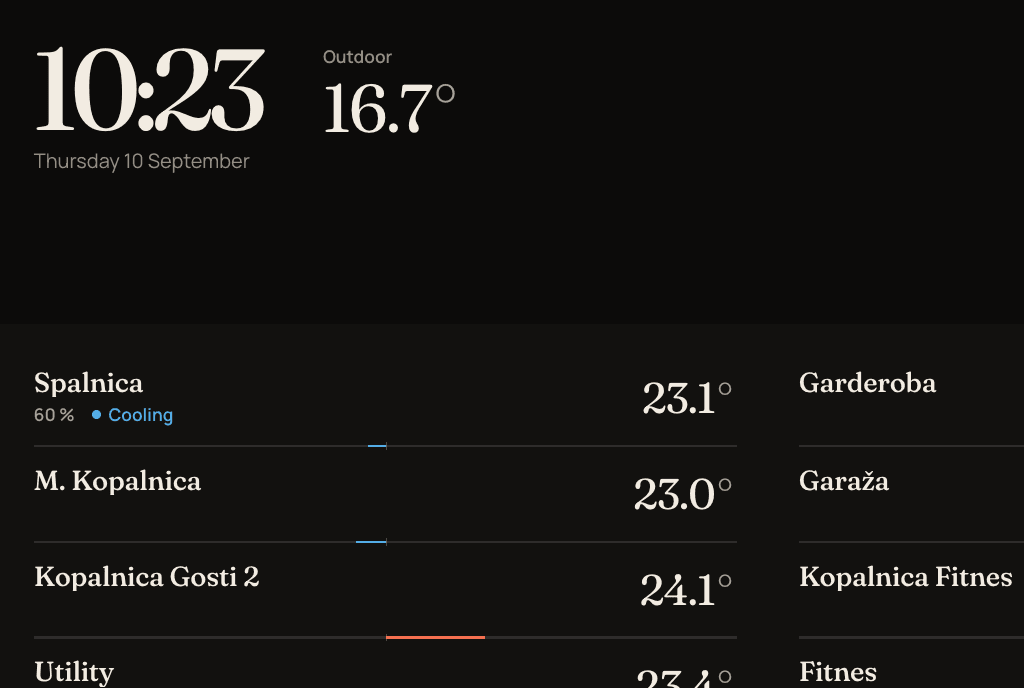
Hydrum wall view in the Poster layout, Night theme
Poster layout in the Night theme: a masthead with clock, outdoor temperature and mode, rooms as a typographic index.
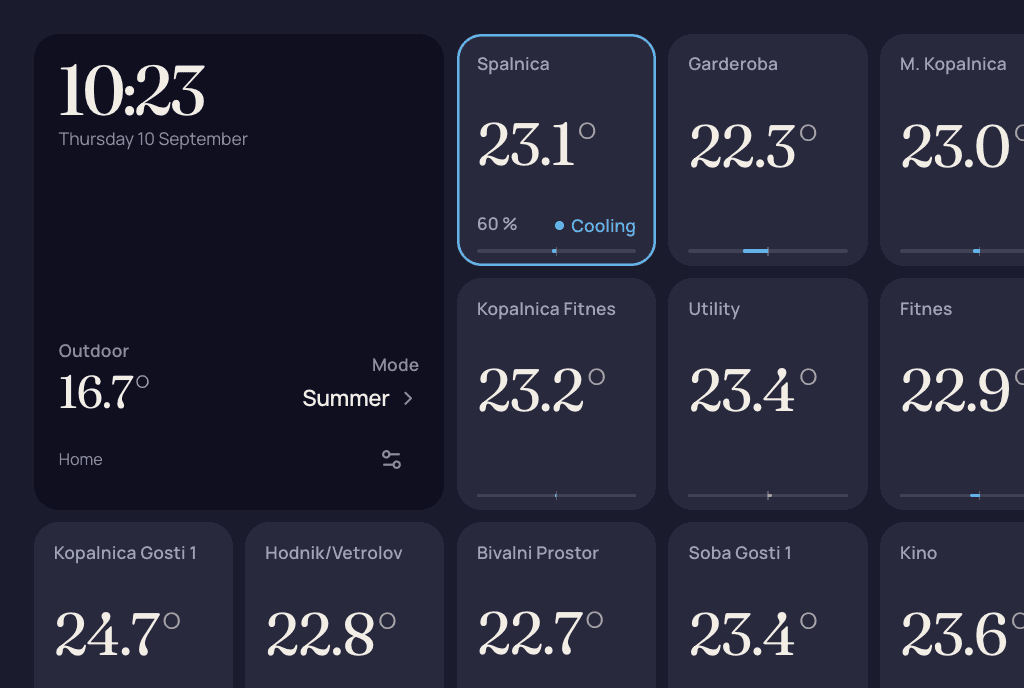
Hydrum wall view in the Mosaic layout, Dusk theme
Mosaic layout in the Dusk theme: every room is a tile, the clock is just a bigger one.

How it works

  1. Create an accountAn email address and a password.
  2. Connect your systemSerial number, the login from the Harreither app, and the auth code your installer gave you.
  3. Put it on the wallCreate a display link for the iPad in the hallway or kitchen, and keep the full controls on your phone.